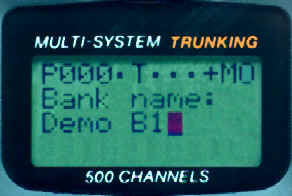
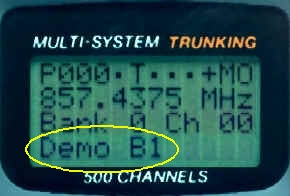
This is an introduction to assigning a text tag to a bank on your PRO-92 scanner.
Text is entered using the number pad. To enter a letter, you first select the letter group (such as 7 for PQRS), then press the number which corresponds to the letters place in sequence (P=1,Q=2,R=3, S=4). Use FUNC to change to lower case. This tutorial uses the example text "Demo B1".
For additional information on this product, see the links below:
| Step 1: Select the Bank | |
|
|
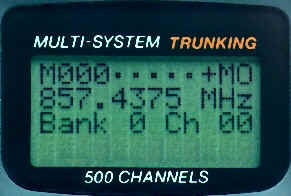
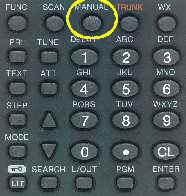
| Press MANUAL, enter a channel number within the desired bank, then press MANUAL again. | |
| Step 2: Enter the Programming Mode | |
|
|
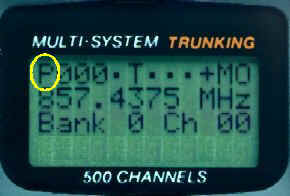
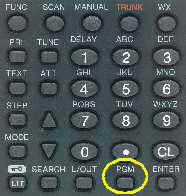
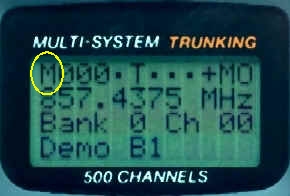
| Press PGM. The M in the top left corner changes to P. | |
| Step 3: Enter the Bank Text Mode | |
|
|
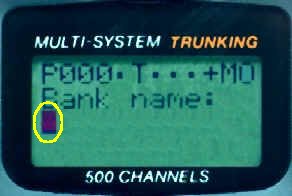
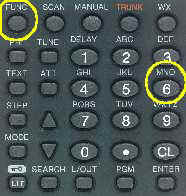
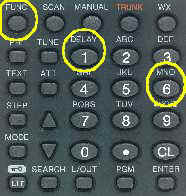
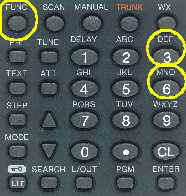
| Press FUNC then press 6. The cursor appears at the 3rd line on the display below Bank name: | |
| Step 4: Select the Letter Group for "D" | |
|
|
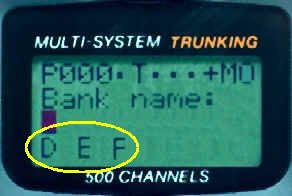
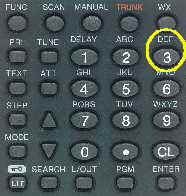
| Before entering the actual letter, you must first select the group of letters by pressing the appropriate number key. The letter "D" is in the group over the number 3 (DEF), so press 3. The letters D E F appear under the cursor at the bottom of the display. | |
| Step 5: Select "D" | |
|
|
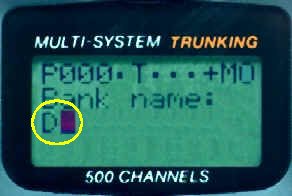
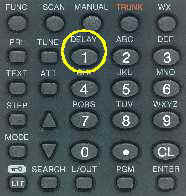
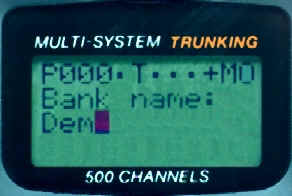
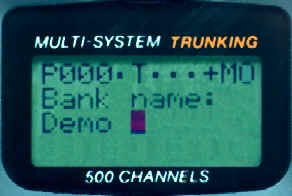
| The letter "D" is the first letter in the sequence (D=1, E=2, F=3) over the number 3, so press the number 1. The letter D appears and the cursor moves to the right. | |
| Step 6: Select "e" | |
|
|
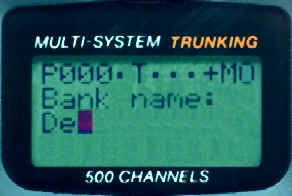
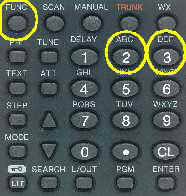
| The second character is "e". Select the group again by pressing 3. When the letters D E F appear at the bottom of the display under D and the cursor, press FUNC to change them to lowercase (d e f) and press 2 to select the letter e. | |
| Step 7: Select "m" | |
|
|
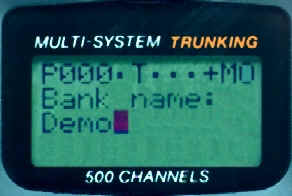
| The third character is "m". Select the group by pressing 6; M N O appear at the bottom of the display under De" and the cursor. Press FUNC to change them to lowercase (m n o), then press 1 to select the letter m. | |
| Step 8: Select "o" | |
|
|
| The fourth character is "o". Select the group by pressing 6 again; M N O appear at the bottom of the display under Dem and the cursor. Press FUNC to change them to lowercase (m n o). Press 3 to select the letter o. | |
| Step 9: Select a Space | |
|
|
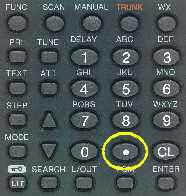
| The fifth character is a space. Press the . (period) key to input a space. The cursor moves over one space. | |
| Step 10: Select "B" | |
|
|
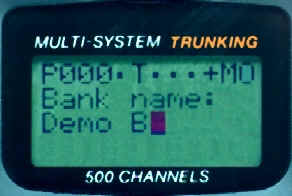
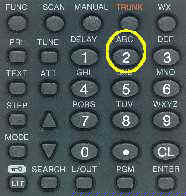
| The sixth character is "B". Select the group by pressing 2; A B C appear at the bottom of the display under Demo and the cursor. Press 2 to select the letter B. | |
| Step 11: Select "1" | |
|
|
| The final character is "1". Numbers are accessed by pressing 1. The numbers 1234567890 appear at the bottom of the display under Demo B and the cursor. Press 1 to choose the number 1. | |
| Step 12: Store the Text Tag | |
|
|
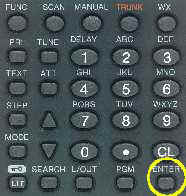
| When you are finished programming the letters, press ENTER to save the text tag. The display returns to the channel you selected, and the bank text tag appears on the bottom row of the display. | |
| Step 13: Return to Manual Mode | |
|
|
| When you are finished, you can stop programming by pressing MANUAL. The P on the display changes back to M. | |
Copyright© RadioShack Corporation 2002. All rights reserved.